City level 3 in Build and Conquer
City level 3 has no published population number: the gate is population, not building count. How to measure your own threshold and what level 3 unlocks.
City level 3 has no confirmed population figure — 250 is level 2 and 2,500 is level 5. Measure your own flip by noting the population counter when mid-tier buildings become placeable.
City level 3 is the level with no published number. Every other gate in Build and Conquer has a figure attached — 250 population for level 2, 2,500 for level 5 — but level 3 and level 4 are the two thresholds nobody has pinned down. This page explains what that means in practice, what level 3 actually unlocks, and how to find your own threshold in about fifteen minutes of building.
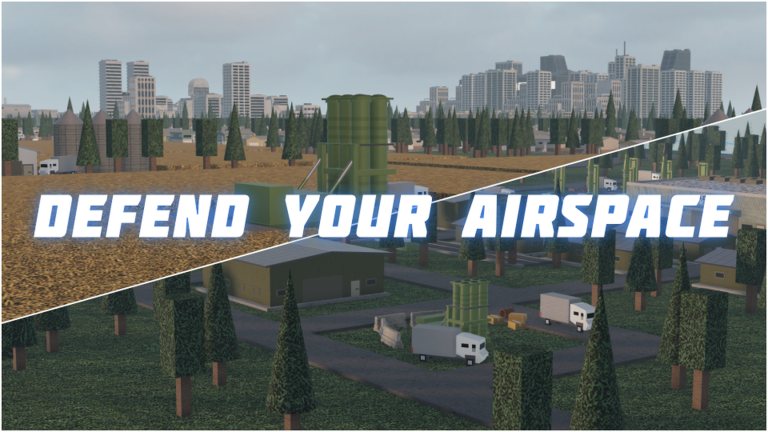
Official store screenshot. Housing placed along roads is what moves the counter that gates city levels.
Pairs with: All city levels and requirements · Population, workers and happiness · Housing and apartments
The honest answer first
City level 3 does not have a "number of buildings" requirement. The game checks population, not property count. That is why guides that promise "build 12 houses for level 3" disagree with each other and with the game — they are quoting a house count that happened to work for their layout, in a game where a glass tower holds 180 people in one building.
What is confirmed:
| Level | Gate | How solid |
|---|---|---|
| 2 | 250 population | Community-tested and consistent across sources |
| 3 | Population, figure not published | This page explains how to measure it |
| 4 | Population, figure not published | Signalled by the nuclear plant quest appearing |
| 5 | 2,500 population | Community-tested and consistent across sources |
What level 3 unlocks
Level 3 is the first level that changes what you can build rather than how much you can build:
- Mid-tier buildings and services become available, which is what turns a grid of suburbs into a functioning town.
- Industry chains start paying off — refineries, steel works and storage all want the space that mid-tier zoning frees up.
- Military production is already open from level 2, so level 3 is the point where most players choose between expanding the economy or expanding the army. Both are viable; doing neither is how bases stall.
If a guide says level 3 "unlocks the missile tier", check it against the missile page: missiles unlock through hit counts and research, not through city level alone, so treat that claim as a shortcut rather than a rule.
How to find your own level 3 threshold
The counter is visible while you build, so the threshold can be measured instead of guessed:
- Note your population and current level before you start.
- Build housing in one batch — five to ten suburbs along an existing road, using drag-place rather than one at a time.
- Watch for the level flip — the moment mid-tier buildings become placeable, the gate has been crossed. Stop building.
- Read the population counter at that instant. That is your level 3 threshold, to the accuracy of how much housing you placed in the last batch.
- Repeat on a second row if you want it tighter. Because levels are kept when population falls, the gate only opens once per save; a fresh plot is the clean way to re-measure.
Why this works: the game keeps your level when population drops, so the check only runs upward. You are measuring a one-way gate, not a steady state.
The fastest way to push population, in order
- Roads first. Housing only places along roads, so a road stub that ends early caps how much you can build no matter how much money you have.
- Densest building wins. A tower that holds 180 people replaces nine or ten suburbs on the same road frontage. Use suburbs early because they are cheap, then densify.
- Drag-place, do not click-place. Holding the build button and dragging lays a row of buildings and queues construction automatically.
- Do not delete starter housing until the level is banked. Levels do not drop when population falls, so replacing suburbs with towers after a level-up is free; replacing them before is how people lose the level they were chasing.
- Keep happiness from collapsing as you densify. Workers are what staff the industry that pays for the next row of housing.
Why the number is missing
Three reasons, all boring:
- The game does not publish a requirements table. There is no in-game list of "level 3 = X population" — the level simply changes when the counter crosses a line.
- Nobody has datamined it publicly. The confirmed numbers (250 and 2,500) came from community testing, not from files.
- Populations vary by building mix. Two players at the same level can sit at different totals if one is over the threshold and the other is just under it with different housing stock.
So a page that prints "level 3 needs 1,000 population" without a measurement is repeating someone's assumption. This one tells you how to measure, which is the only answer that survives a patch.
FAQ
How many buildings do I need for city level 3?
No fixed number. The gate is population, and the population per building depends on what you place — a glass tower is worth 180 people in one building.
What population is city level 3?
Not published. Level 2 is 250 and level 5 is 2,500; measure your own level 3 flip using the counter as described above.
Does my city level drop if I delete houses?
No. Levels are kept once earned, which is why upgrading housing after a level-up is safe.
Is level 3 worth rushing?
Only if you need mid-tier buildings immediately. Level 5 is the gate with the real payoff — 2,500 population unlocks the endgame buildings, including the glass tower itself.